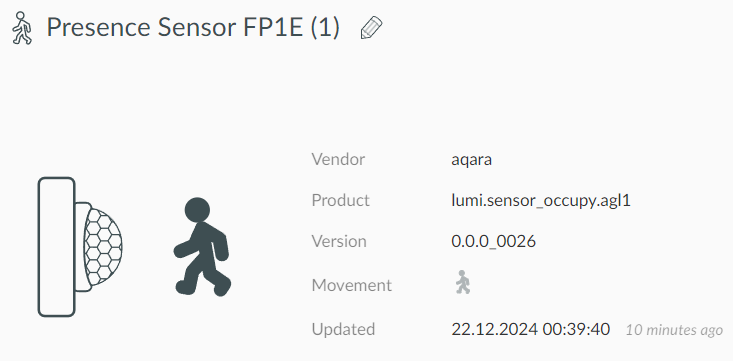
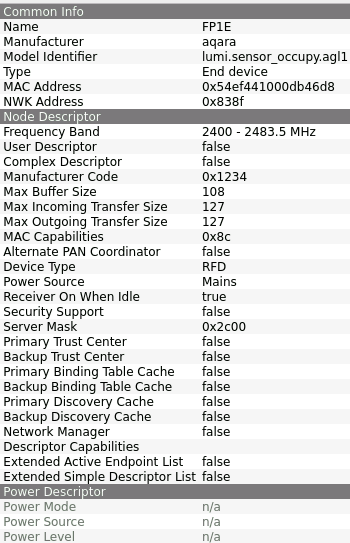
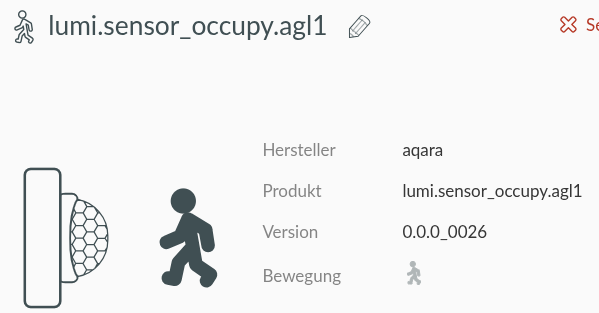
I can’t seem to pair this properly. It shows up in deCONZ like below, but nothing in Phoscon.
Do I just need to keep trying?
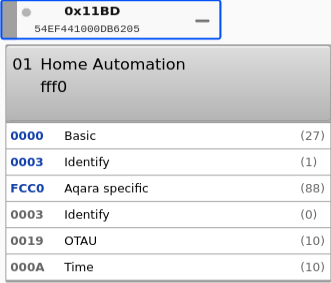
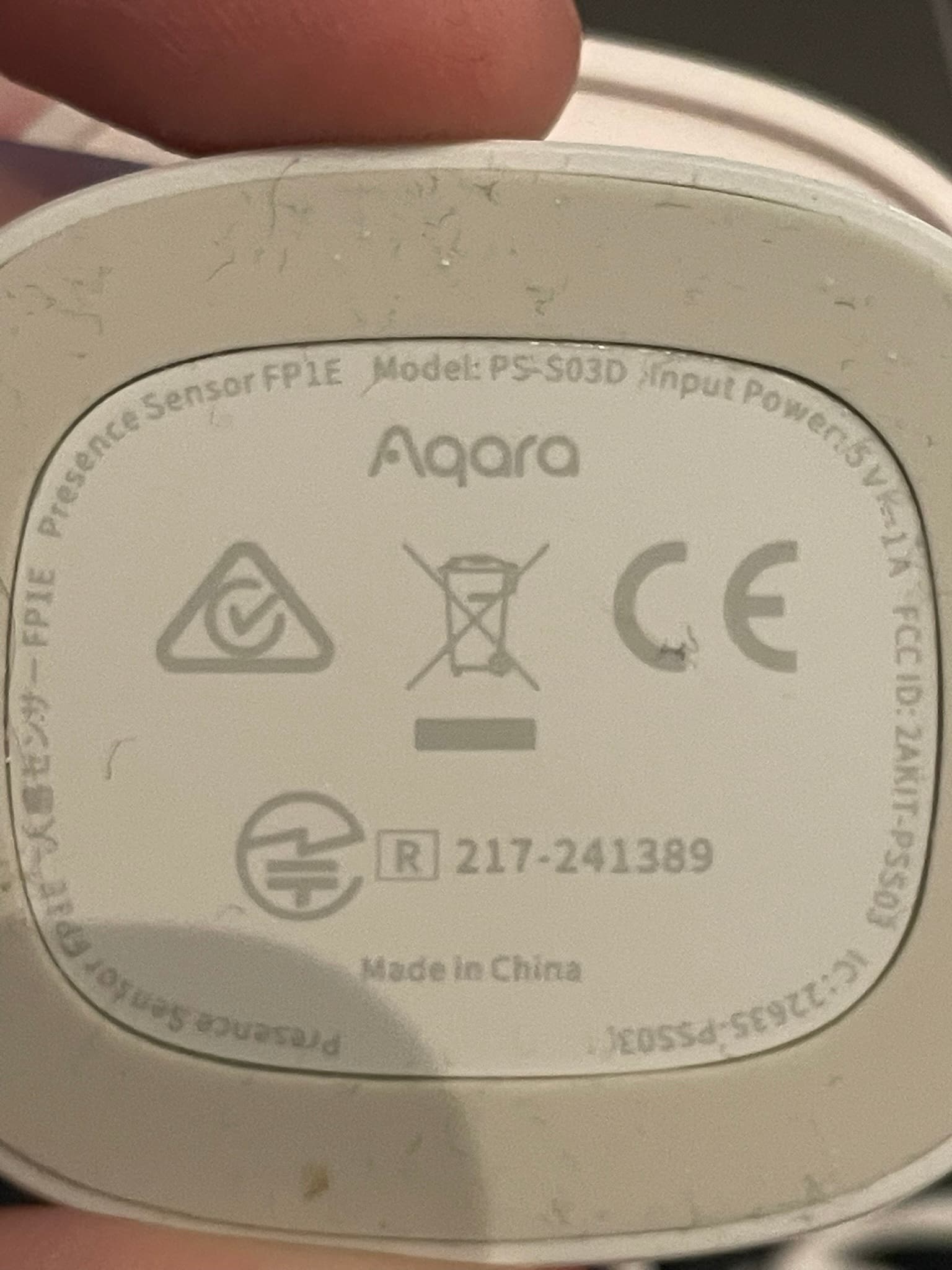
Ref.:
Ok for some reason the DDF file was not there. I downloaded it and now it paired fine it looks like.
@ebaauw In the linked issue above you mention firmware 0.0.0_0028. How did you get that installed? And does it bring any change?
And it also looks like it has a temperature sensor. Is it exposed in your system? (not that it’s important to have in this device, just curious.)
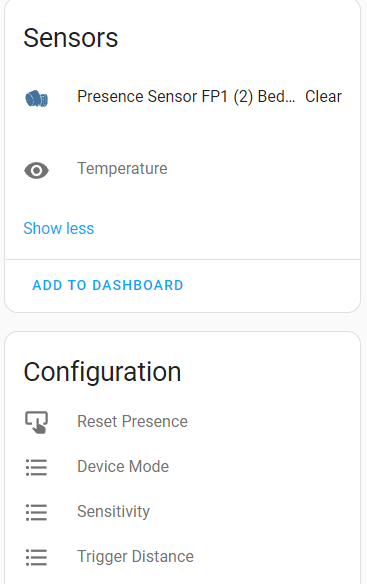
Additionally: I have two FP1s (lumi.motion.ac01) which expose 4 config entities in home assistant.
So I was wondering if the FP1E has something similar. How can I investigate this?
fyi:
As i mentioned in the issue, I was sniffing how the Aqara gateway communicated with the FP1E. The firmware was updated by the Aqara gateway. I don’t know what changed with the new firmware, but I would expect improvements in the AI, given the recent introduction of the sensor.
The device does not have an ambient temperature sensor. Like most Xiaomi devices, it reports a very coarse-grained device temperature. The deCONZ API used to expose this through config.temperature, but, luckily, this has been removed.
I don’t use Home Assistant, and have no clue what a config item is. This would be up to the HA integration of deCONZ.
Can somebody explain step by step how to pair the aqara fp1e with conbee III exactly? my device just doesnt show up anywhere…
This is not working ?
Just open the network with phoscon before the procedure (add new sensor)
In phoscon I click “add new sensor” and the progress bar appears (“searching”). Then I click the button on the back of the sensor for 6seconds until the led starts flashing and release it. then the led pulses for like 20s and then turns off. but phoscon never finds it…
What is your deconz version ?
Do you have the GUI to check if you haven’t a new version ?
It’s your first device ? another one have already worked ?
deconz-addon inside Home Assistant is version: Current version: 8.5.2, underlying version of deCONZ to 2.31.2. I have about 130 devices in my network (lights, plugs, sensors by different manufacturers), this is the very first fp1e sensor…
okay inside deconz gui where all devices are shown there was a device I didnt know it was there. I just deleted it. afterwarts the pairing succeeded. the device shows up in deconz ui but has no connection (its grey and no lines go to it from other endpoints). in phoscon it doesnt show if someone moves through the radius.
in deconz gui this is what I see when I hit DDF:
{
  "schema": "devcap1.schema.json",
  "manufacturername": "aqara",
  "modelid": "lumi.sensor_occupy.agl1",
  "vendor": "Xiaomi Aqara",
  "product": "Presence Sensor FP1E (PS-SE03)",
  "sleeper": false,
  "status": "Gold",
  "path": "/devices/xiaomi/lumi_sensor_occupy.agl1.json",
  "subdevices": [
    {
      "type": "$TYPE_PRESENCE_SENSOR",
      "restapi": "/sensors",
      "uuid": [
        "$address.ext",
        "0x01",
        "0x0406"
      ],
      "items": [
        {
          "name": "attr/id"
        },
        {
          "name": "attr/lastannounced"
        },
        {
          "name": "attr/lastseen"
        },
        {
          "name": "attr/manufacturername"
        },
        {
          "name": "attr/modelid"
        },
        {
          "name": "attr/name"
        },
        {
          "name": "attr/swversion"
        },
        {
          "name": "attr/swversion_bis"
        },
        {
          "name": "attr/type"
        },
        {
          "name": "attr/uniqueid"
        },
        {
          "name": "config/detectionrange",
          "refresh.interval": 360,
          "read": {
            "at": "0x015B",
            "cl": "0xFCC0",
            "ep": 1,
            "fn": "zcl:attr"
          },
          "write": {
            "at": "0x015B",
            "cl": "0xFCC0",
            "dt": "0x23",
            "ep": 1,
            "eval": "Item.val",
            "fn": "zcl:attr"
          },
          "parse": {
            "at": "0x015B",
            "cl": "0xFCC0",
            "ep": 1,
            "eval": "Item.val = Attr.val",
            "fn": "zcl:attr"
          },
          "default": 600
        },
        {
          "name": "config/on"
        },
        {
          "name": "config/reachable"
        },
        {
          "name": "config/resetpresence",
          "read": {
            "fn": "none"
          },
          "write": {
            "at": "0x0157",
            "cl": "0xFCC0",
            "dt": "0x20",
            "ep": 1,
            "eval": "Item.val ? 1 : 0",
            "fn": "zcl:attr"
          },
          "default": false
        },
        {
          "name": "state/lastupdated"
        },
        {
          "name": "state/presence",
          "read": {
            "fn": "none"
          },
          "parse": {
            "at": "0x0142",
            "cl": "0xFCC0",
            "ep": 1,
            "eval": "Item.val = (Attr.val !== 0); R.item('config/resetpresence').val = false",
            "fn": "zcl:attr"
          },
          "default": false
        }
      ]
    }
  ]
}
what could I do to make this sensor work?
It’s strange, deconz have picked a DDF for this device, it mean it have reconised it.
Can you take a look direclty in the API, using Phoscon/HELP/API Information/sensors (you can reconise the device according the MAC adress, will be a ZHAPresence)
But I don’t see what you can have as issue for the device be not showed in Phoscon, nothing in HA too ?
It shows up in phoscon and home assistant but either as unavailable or greyed out (= unavailable). in deconz UI it is greyed out too. the log (after pairing) says this:
21:53:33:772 54:ef:44:10:00:db:46:d8/attr/modelid expression: Item.val = Attr.val --> lumi.sensor_occupy.agl1
21:53:33:774 FP indication 0x0104 / 0x0000 (0x54EF441000DB46D8 / 0xA120)
21:53:33:775                       ...     (0x54EF441000DB46D8 / 0xA120)
21:53:33:777 DEV received attr/modelid: 0x54EF441000DB46D8
21:53:33:778 DEV ZDP node descriptor verified: 0x54EF441000DB46D8
21:53:33:779 DEV ZDP active endpoints verified: 0x54EF441000DB46D8
21:53:33:781 DEV ZDP simple descriptors verified: 0x54EF441000DB46D8
21:53:33:782 DEV modelId: lumi.sensor_occupy.agl1, 0x54EF441000DB46D8
21:53:33:785 sql exec SELECT sid FROM sensors
21:53:35:245 sub-device: 54:ef:44:10:00:db:46:d8-01-0406, has item: attr/id
21:53:35:246 sub-device: 54:ef:44:10:00:db:46:d8-01-0406, has item: attr/lastannounced
21:53:35:248 SQL exec failed: SELECT attr FROM sensors WHERE uniqueid = '54:ef:44:10:00:db:46:d8-01-0406' AND deletedState = 'normal', error: no such column: attr (1)
21:53:35:249 sub-device: 54:ef:44:10:00:db:46:d8-01-0406, has item: attr/lastseen
21:53:35:250 sub-device: 54:ef:44:10:00:db:46:d8-01-0406, has item: attr/manufacturername
21:53:35:251 sub-device: 54:ef:44:10:00:db:46:d8-01-0406, has item: attr/modelid
21:53:35:252 sub-device: 54:ef:44:10:00:db:46:d8-01-0406, has item: attr/name
21:53:35:254 sub-device: 54:ef:44:10:00:db:46:d8-01-0406, has item: attr/swversion
21:53:35:255 SQL exec failed: SELECT attr FROM sensors WHERE uniqueid = '54:ef:44:10:00:db:46:d8-01-0406' AND deletedState = 'normal', error: no such column: attr (1)
21:53:35:256 sub-device: 54:ef:44:10:00:db:46:d8-01-0406, create item: attr/swversion_bis
21:53:35:258 SQL exec failed: SELECT attr FROM sensors WHERE uniqueid = '54:ef:44:10:00:db:46:d8-01-0406' AND deletedState = 'normal', error: no such column: attr (1)
21:53:35:259 sub-device: 54:ef:44:10:00:db:46:d8-01-0406, has item: attr/type
21:53:35:261 sub-device: 54:ef:44:10:00:db:46:d8-01-0406, has item: attr/uniqueid
21:53:35:262 sub-device: 54:ef:44:10:00:db:46:d8-01-0406, create item: config/detectionrange
21:53:35:263 sub-device: 54:ef:44:10:00:db:46:d8-01-0406, has item: config/on
21:53:35:265 sub-device: 54:ef:44:10:00:db:46:d8-01-0406, has item: config/reachable
21:53:35:266 sub-device: 54:ef:44:10:00:db:46:d8-01-0406, create item: config/resetpresence
21:53:35:268 sub-device: 54:ef:44:10:00:db:46:d8-01-0406, has item: state/lastupdated
21:53:35:269 sub-device: 54:ef:44:10:00:db:46:d8-01-0406, create item: state/presence
21:53:35:271 DB store 54:ef:44:10:00:db:46:d8-01-0406/sensors/attr/manufacturername ## INSERT INTO resource_items (sub_device_id,item,value,source,timestamp) SELECT id, 'attr/manufacturername', 'aqara', 'dev', 1763844813 FROM sub_devices WHERE uniqueid = '54:ef:44:10:00:db:46:d8-01-0406'
21:53:35:293 DB store 54:ef:44:10:00:db:46:d8-01-0406/sensors/attr/modelid ## INSERT INTO resource_items (sub_device_id,item,value,source,timestamp) SELECT id, 'attr/modelid', 'lumi.sensor_occupy.agl1', 'dev', 1763844813 FROM sub_devices WHERE uniqueid = '54:ef:44:10:00:db:46:d8-01-0406'
21:53:35:313 DEV found DDF for 0x54EF441000DB46D8, path: /usr/share/deCONZ/devices/xiaomi/lumi_sensor_occupy.agl1.json, result: 1
21:53:35:315 MS CORE_APS_IND (processPacked:1276) took 1556 ms
21:53:35:370 Websocket 172.30.32.1:47978 send message: {"attr":{"lastseen":"2025-11-22T20:53Z"},"e":"changed","id":"208","r":"sensors","t":"event","uniqueid":"54:ef:44:10:00:db:46:d8-01-0406"} (ret = 137)
21:53:35:372 Websocket 127.0.0.1:57702 send message: {"attr":{"lastseen":"2025-11-22T20:53Z"},"e":"changed","id":"208","r":"sensors","t":"event","uniqueid":"54:ef:44:10:00:db:46:d8-01-0406"} (ret = 137)
21:53:35:376 Websocket 172.30.32.1:47978 send message: {"e":"added","id":"208","r":"sensors","sensor":{"capabilities":{"sleeper":false},"config":{"detectionrange":600,"on":true,"reachable":false,"resetpresence":false},"etag":"d218e8e10f4042cab214e5c2edc55275","lastannounced":null,"lastseen":"2025-11-22T20:53Z","manufacturername":"aqara","modelid":"lumi.sensor_occupy.agl1","name":"Presence 208","nwkaddress":"0xA120","state":{"lastupdated":"none","presence":false},"swversion":"","swversion_bis":"","type":"ZHAPresence","uniqueid":"54:ef:44:10:00:db:46:d8-01-0406"},"t":"event","uniqueid":"54:ef:44:10:00:db:46:d8-01-0406"} (ret = 570)
21:53:35:379 Websocket 127.0.0.1:57702 send message: {"e":"added","id":"208","r":"sensors","sensor":{"capabilities":{"sleeper":false},"config":{"detectionrange":600,"on":true,"reachable":false,"resetpresence":false},"etag":"d218e8e10f4042cab214e5c2edc55275","lastannounced":null,"lastseen":"2025-11-22T20:53Z","manufacturername":"aqara","modelid":"lumi.sensor_occupy.agl1","name":"Presence 208","nwkaddress":"0xA120","state":{"lastupdated":"none","presence":false},"swversion":"","swversion_bis":"","type":"ZHAPresence","uniqueid":"54:ef:44:10:00:db:46:d8-01-0406"},"t":"event","uniqueid":"54:ef:44:10:00:db:46:d8-01-0406"} (ret = 570)
21:53:35:397 VFS found child: devices/54:ef:44:10:00:db:46:d8/attr/modelid (e: 4637)
21:53:35:398 VFS change (actor index: 2) notify: devices/54:ef:44:10:00:db:46:d8/attr/modelid
21:53:35:400 vfs model: fetch value of entry: 4637, url: 'devices/54:ef:44:10:00:db:46:d8/attr/modelid'
Ha yes, the device is included, but marked as unreacheable.
This field need to change on first report made by the device.
You have the 2 blue flashes after the reset sequence ?
what about this error from the logs where its missing a column… is this relevant?
when I pair I enter the pairing mode so the LED flashes repeatedly. then phoscon tells me “sensor” ready but the LED on the device keeps flashing and turns off after a while from its own. the double-flash confirmation (like with other aqara sensors) I could not see it…
after it connected (but its unavailable) I see this:
I don’t know this device but if I have understand the manual:
About the SQL error, IDK but yes it’s a common message on logs