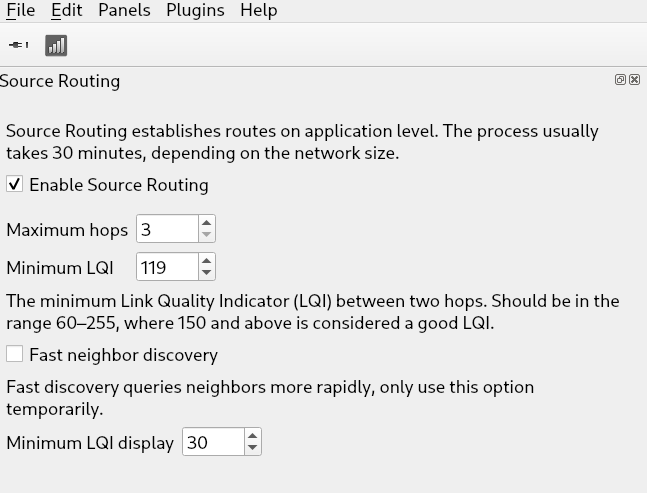
The links are still there but there is a display filter to not show too weak links.
Under “Panels → Source Routing” you can adjust the settings of the bottom checkbox Minimum LQI display to a lower value like 15.
Note if you don’t see any links with the default settings that’s usually an indication that the mesh is pretty weak due interference or too much distance between routers.