IKEA Rodret not implemented correctly in Phoscon

Hi there,

it seems that the newer version of the RODRET switch was missed to be integrated into phoscon APP (in DECONZ it was added). The old switch had the ID “RODRET Dimmer”, while the new one has “RODRET wireless dimmer”.
It is still possible to add it, but Phoscon is not detecting the successfull addition and for the button assignment only uses the generic image. Not super critical, but not “nice” …

Hello, idk wich one version you are using, but the DDF is updated deconz-rest-plugin/devices/ikea/rodret_dimmer.json at master · dresden-elektronik/deconz-rest-plugin · GitHub

This is for deconz, no idea what can happen on Phoscon.

Latest version of deconz and phoscon.

DDF is not the problem - it’s purely the phoscon side, which does not recognize this switch and handles it as generic device.

Hi,
Same issue here. I just bought one yesterday. I can add the switch, but no event is caught.
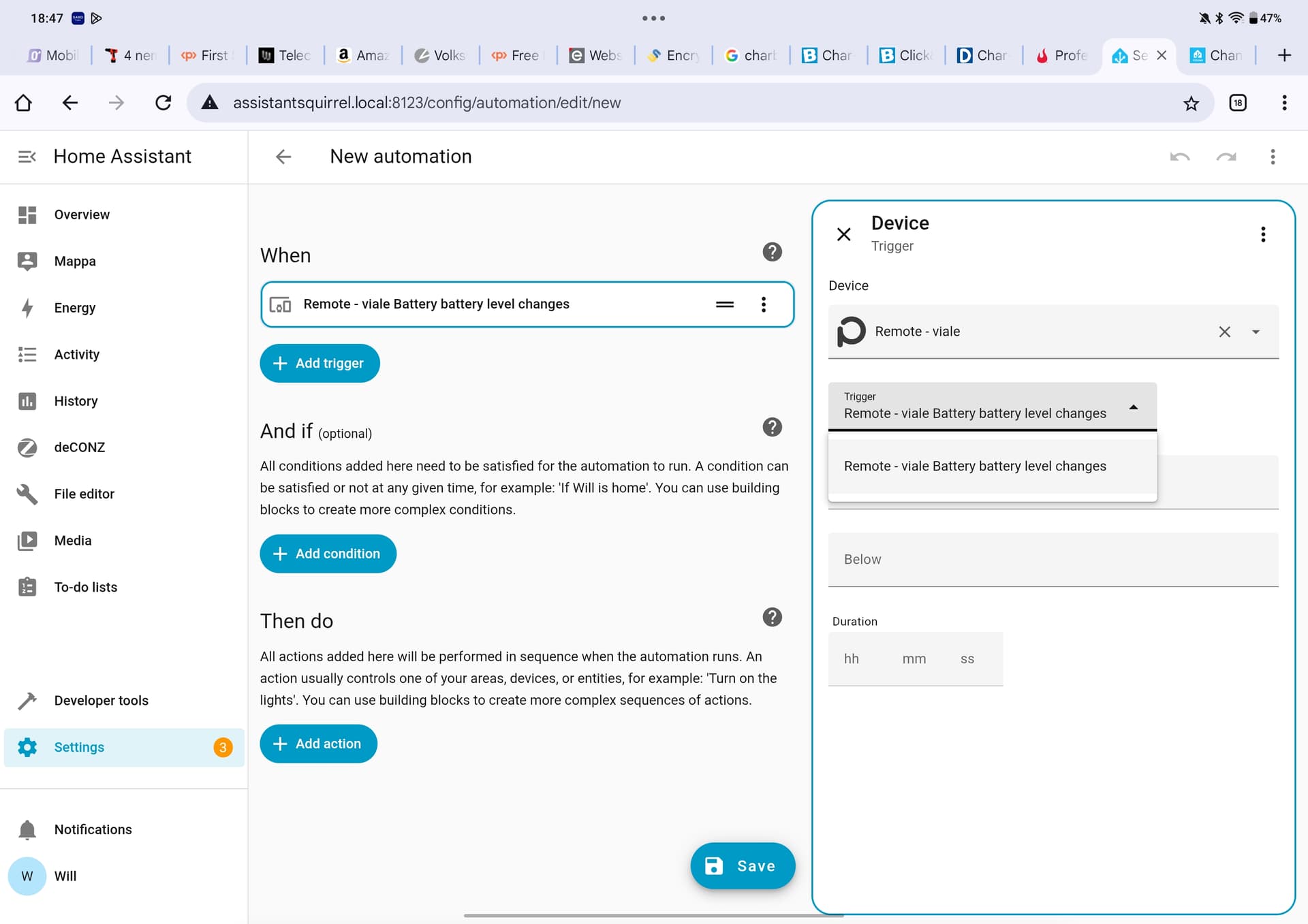
I cannot nether create automation with Home Assistant, since the only trigger that I can see there is the battery level change.

From the API information page I can se the following:

...
    "lastannounced": null,
    "mode": 1,
    "modelid": "RODRET wireless dimmer",
    "name": "RODRET wireless dimmer",
...
    "productid": "E2201",
    "state": {
        "buttonevent": 0,
        "lastupdated": "none"
    },
    "swversion": "1.0.57",
    "type": "ZHASwitch",

I am running phoscon 2.31.2 on a Conbee III (Firmware 264D0900). Looking at the DDF, it should be updated according to deconz-rest-plugin/devices/ikea/rodret_dimmer.json at v2.31.2 · dresden-elektronik/deconz-rest-plugin · GitHub

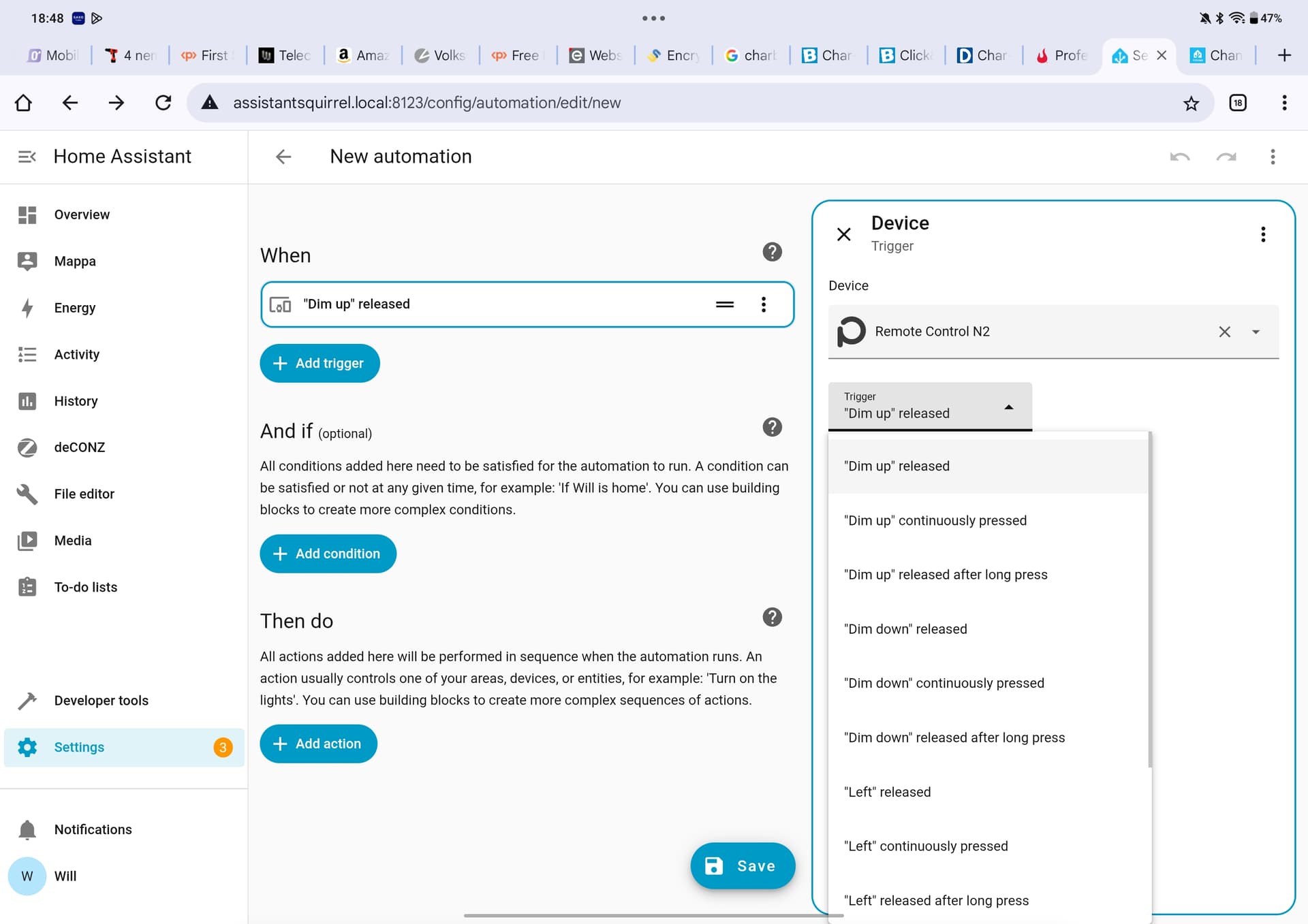
I have an IKEA Remote Control N2 that worked out of the box.

Also same issue with the picture here: RODRET IKEA wireless dimmer wrong switch picture

Very weird… it seems to work now. I added and removed the remote multiple times. Then I kept one button pressed continuously and It started to react. I can now see the events on the Phoscon app, but I cannot still use it properly from Home Assistant. The only trigger that I see there is the battery change. No trigger for button pressed. Any idea?

If you try using phoscon/help/API Information/events and you press button, you don’t see message with “buttonevent” ?

Yes I can see events for both buttons (1001 and 2001 if I remember correctly)

So all seem fine, you know how to use it in HA ? It’s your first remote ?

Yes, I know how to use it on HA, since I have anothre IKEA Remote (N2). The issue with on the RODRET, is that HA see only the battery change as trigger, not the button press.

Just to clarify, I don’t see the button trigger on the editor page when creating a new automation in HA. I can’t figure out then, if HA actually see the button event on the web socket or not.

it’s exactly my question.
If you can see event in Phoscon (in the “event” part), It mean all others third app can do same.
There is a problem on websocket events on last version, but you will have issue for others sensors too and I m sure HA is using an older one.

And other remote is working …

The websocket event have perhaps something HA don’t like, can you share the json visible in the “event” Phoscon page when pressing a button ?

Hi Smart
Sure, here’s the JSON collected from the Phosc on webapp.

{
    "20:58:41:314": {
        "attr": {
            "lastseen": "2026-01-07T19:58Z"
        },
        "e": "changed",
        "id": "9",
        "r": "sensors",
        "t": "event",
        "uniqueid": "f0:fd:45:ff:fe:ef:39:47-01-1000"
    },
    "20:58:41:320": {
        "e": "changed",
        "id": "9",
        "r": "sensors",
        "state": {
            "buttonevent": 1002,
            "lastupdated": "2026-01-07T19:58:39.471"
        },
        "t": "event",
        "uniqueid": "f0:fd:45:ff:fe:ef:39:47-01-1000"
    },
    "20:58:53:397": {
        "e": "changed",
        "id": "9",
        "r": "sensors",
        "state": {
            "buttonevent": 2002,
            "lastupdated": "2026-01-07T19:58:51.521"
        },
        "t": "event",
        "uniqueid": "f0:fd:45:ff:fe:ef:39:47-01-1000"
    }
}

1002 is when I pressed one button, 2002 the other one.

This is what I see on HA for the RODRET.

This is instead how HA looks like for the N2 remote

Deconz is running on a standalone raspberry pi, not as HA add-on

HA just updated to the latest version

I m sorry but I don’t see something bad on deconz side.
Perhaps a “synchronisation” issue ? The API was bugged when HA have added the device, so it have added then without the state/buttonevent, now the API is fine, but it’s too late.

I don’t remember the procedure, but you can try to delete then in HA and not in Deconz, so on next “synchonisation”, HA will just re-add them, and I hope correclty.
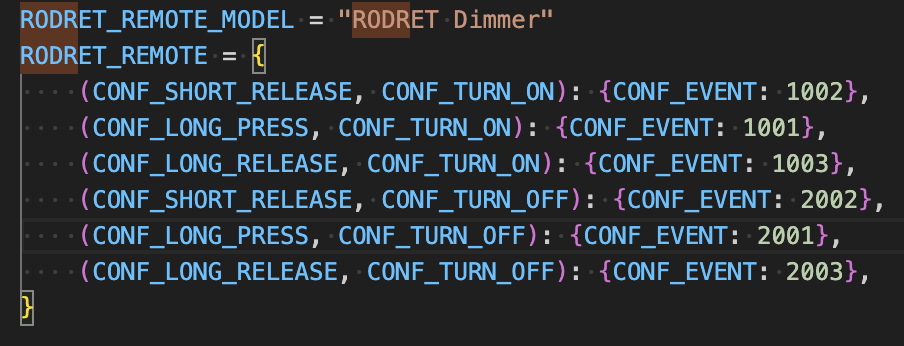
Device triggers are identified based on model ID, so if there is a new model ID it needs to be registered

Multiple different model IDs with the same button configuration

Currently there is only one Rodret model ID registered.

You have a special “setting” for all remotes on HA plugin ?
And yes, there is at least 2 models for the same hardware.


  "modelid": [
	  "RODRET Dimmer",
	  "RODRET wireless dimmer"
  ],

A little help for the HA problem [home-assistant/core]. The Rodret should work with the next core version.

It’s a dictionary that translates events to human readable strings based on modelid

Mattreims PR has been merged, will be out with HA 2026.2 release