##deCONZ - Ikea Brading water leakage Sensor - Note 2024-03-24T17.03.09
-
Copy the badring_water_leakage_sensor.json
into the following directories:
/usr/share/deCONZ/devices/ikea
gma507@IOTMGW02:~ $ cd /usr/share/deCONZ/devices/ikea
gma507@IOTMGW02:/usr/share/deCONZ/devices/ikea $ ls -l
total 240
-rw-r--r-- 1 root root   196 Feb 11 20:14 0006_presence.js
-rw-r--r-- 1 root root   497 Feb 11 20:14 0008_rotaryevent.js
-rw-r--r-- 1 root root   362 Feb 11 20:14 0400_lightlevel.js
-rw-r--r-- 1 root root  2555 Mar 19 10:37 badring_water_leakage_sensor.json
-rw-r--r-- 1 root root  4437 Feb 11 20:14 blind.json
-rw-r--r-- 1 root root   934 Feb 11 20:14 e14_ws_opal_400lm_light.json
and also into:
~/.local/share/dresden-elektronik/deCONZ/devicesgma507@IOTMGW02:/usr/share/deCONZ/devices/ikea $ cd ~/.local/share/dresden-elektronik/deCONZ/devices gma507@IOTMGW02:~/.local/share/dresden-elektronik/deCONZ/devices $ ls -l total 4 -rw-r--r-- 1 gma507 gma507 2328 Mar 14 11:11 badring_water_leakage_sensor.json gma507@IOTMGW02:~/.local/share/dresden-elektronik/deCONZ/devices $ -
I deleted the existing Badring Sensor Device in my setup:
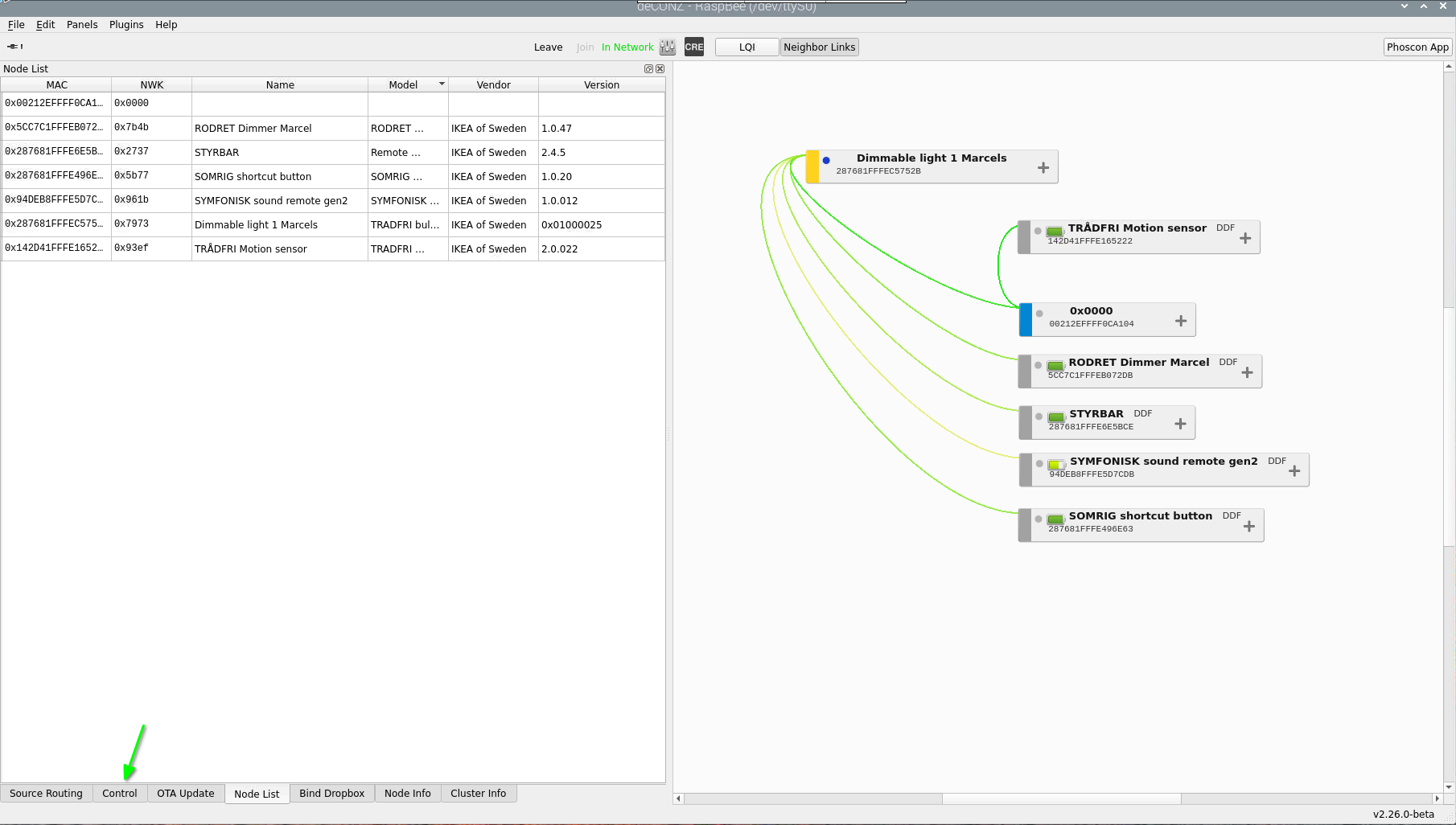
- Go into Control on the DDF folder and check if you have the Basic Mode activated, also tik at least Silver and Gold for the DDF status:
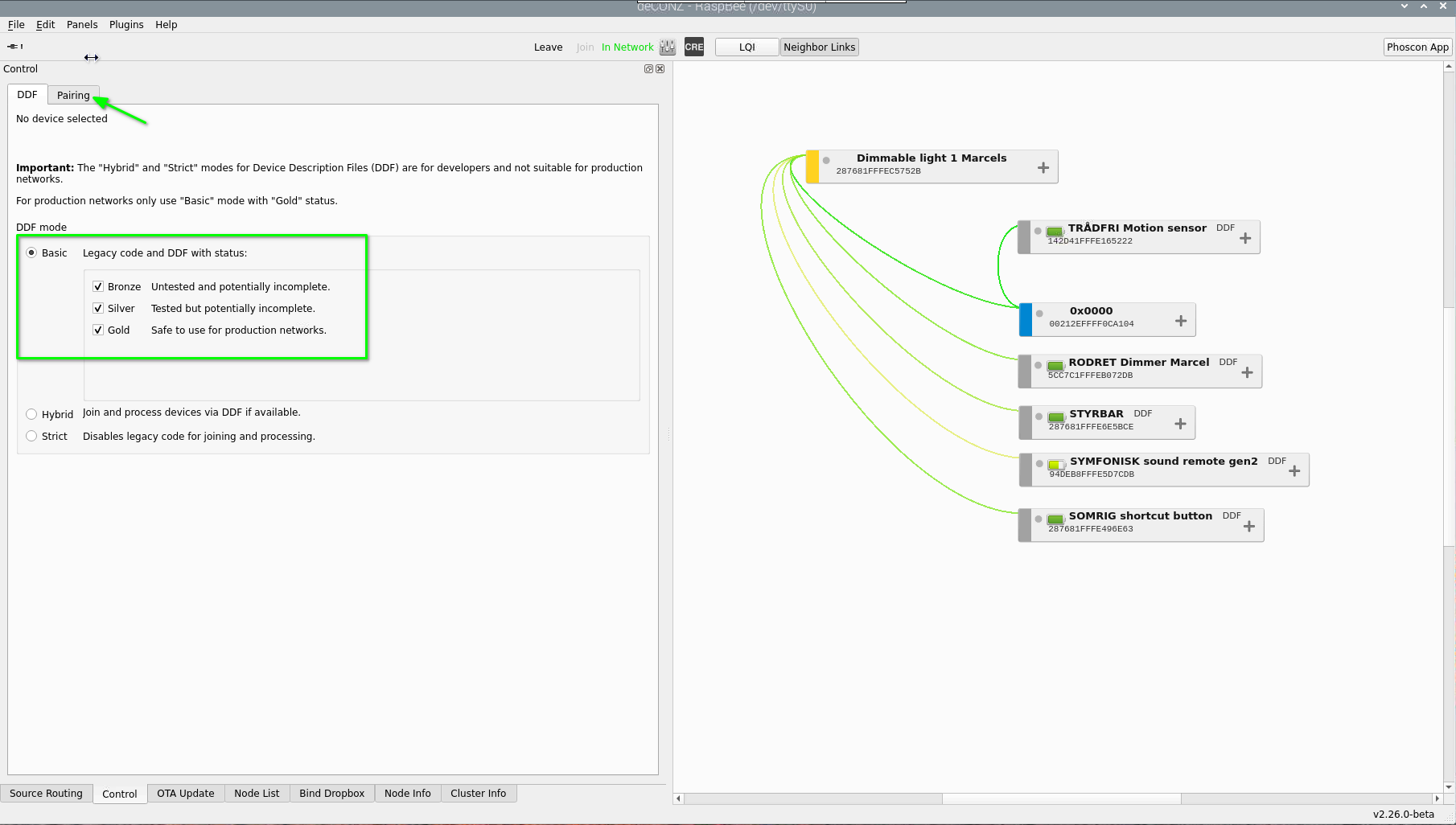
- Then go to Pairing and perform the joining procedure of the device:
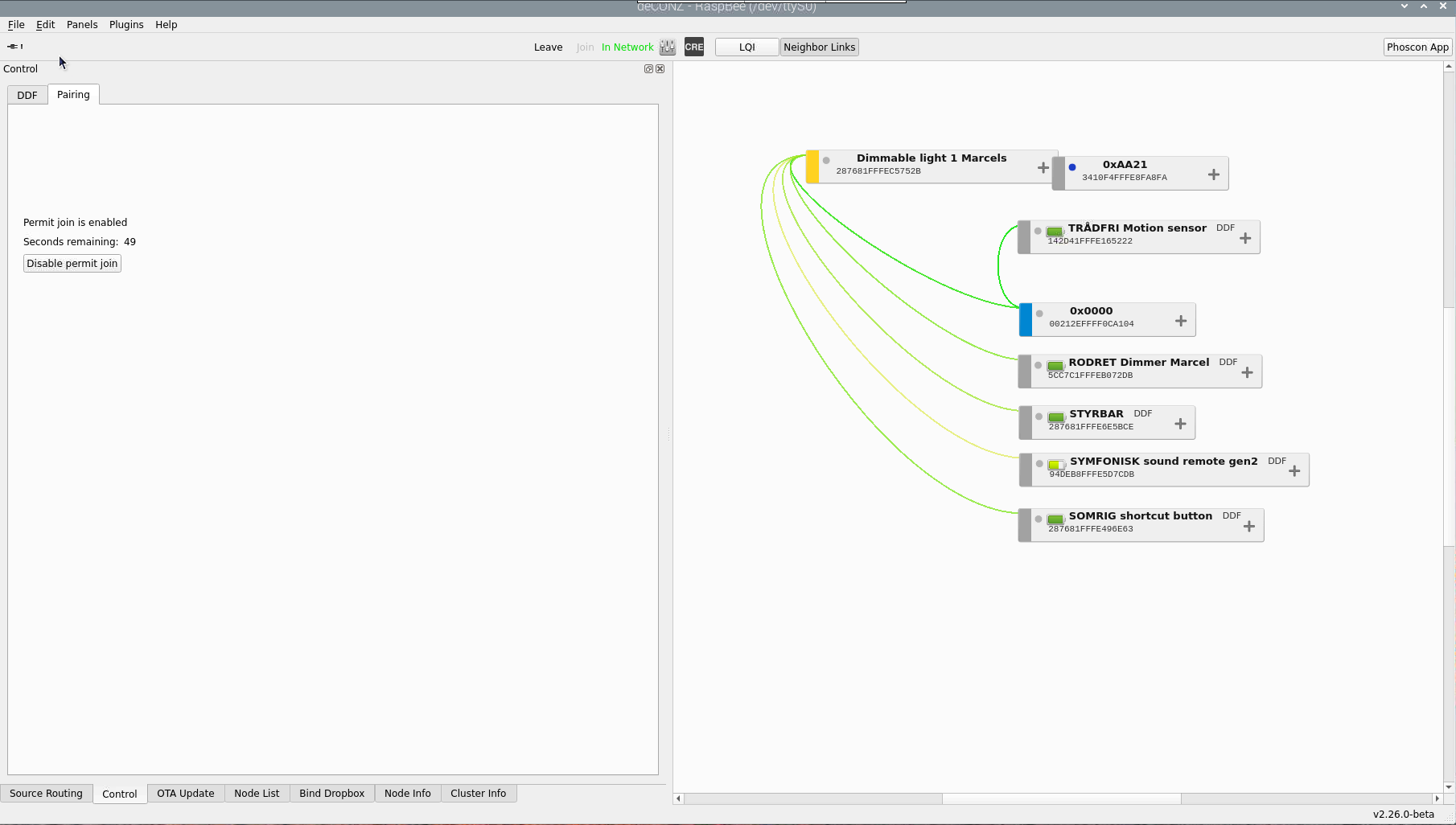
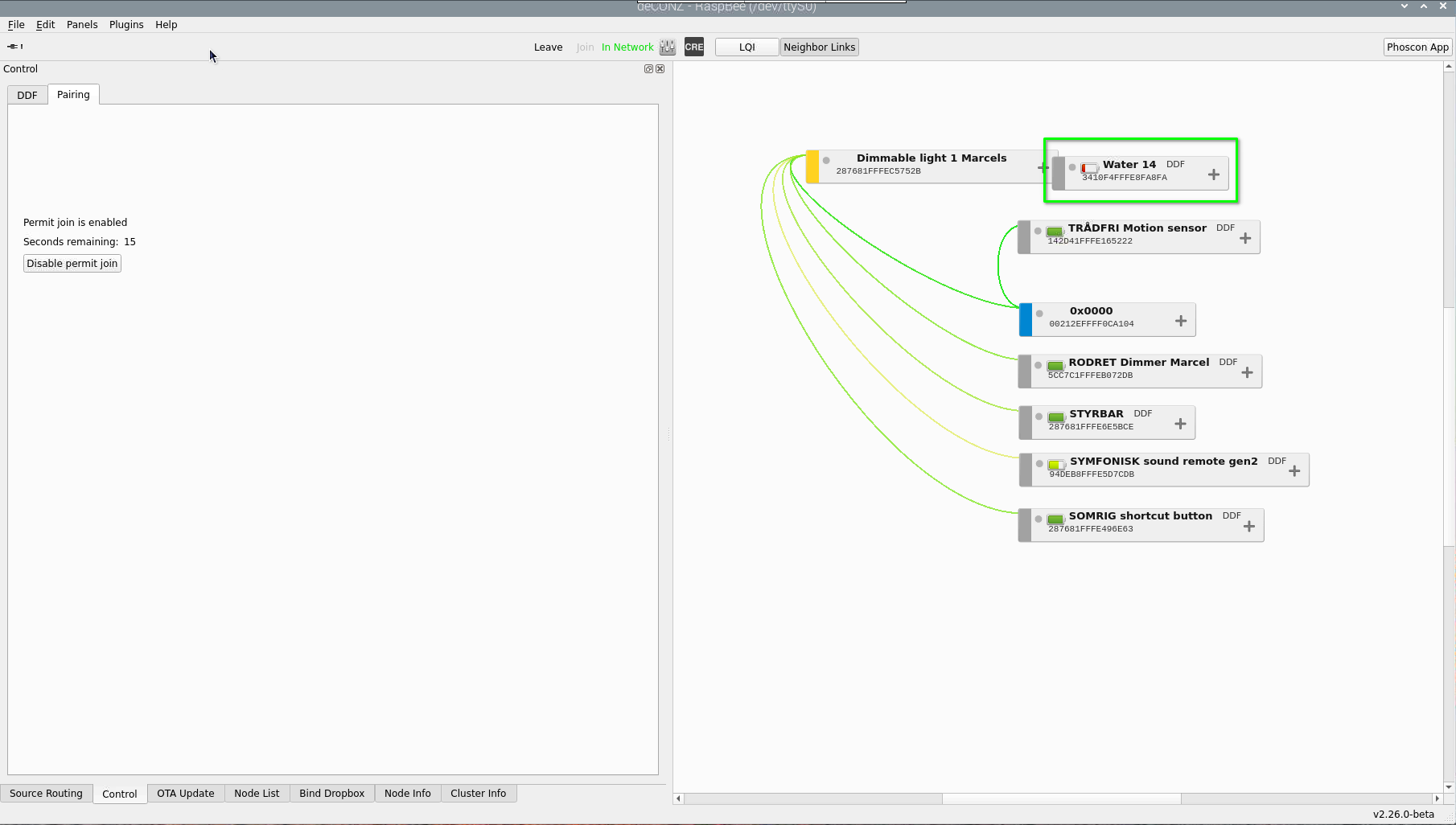
the Badring Device was recoginzed within a couple of seconds and poped up as 0xAA21.
- After about 30 seconds, without any interaction from my side, it changed the name and also showed a battery state.
- Checking the Node List, the device is now also listed with the available information.
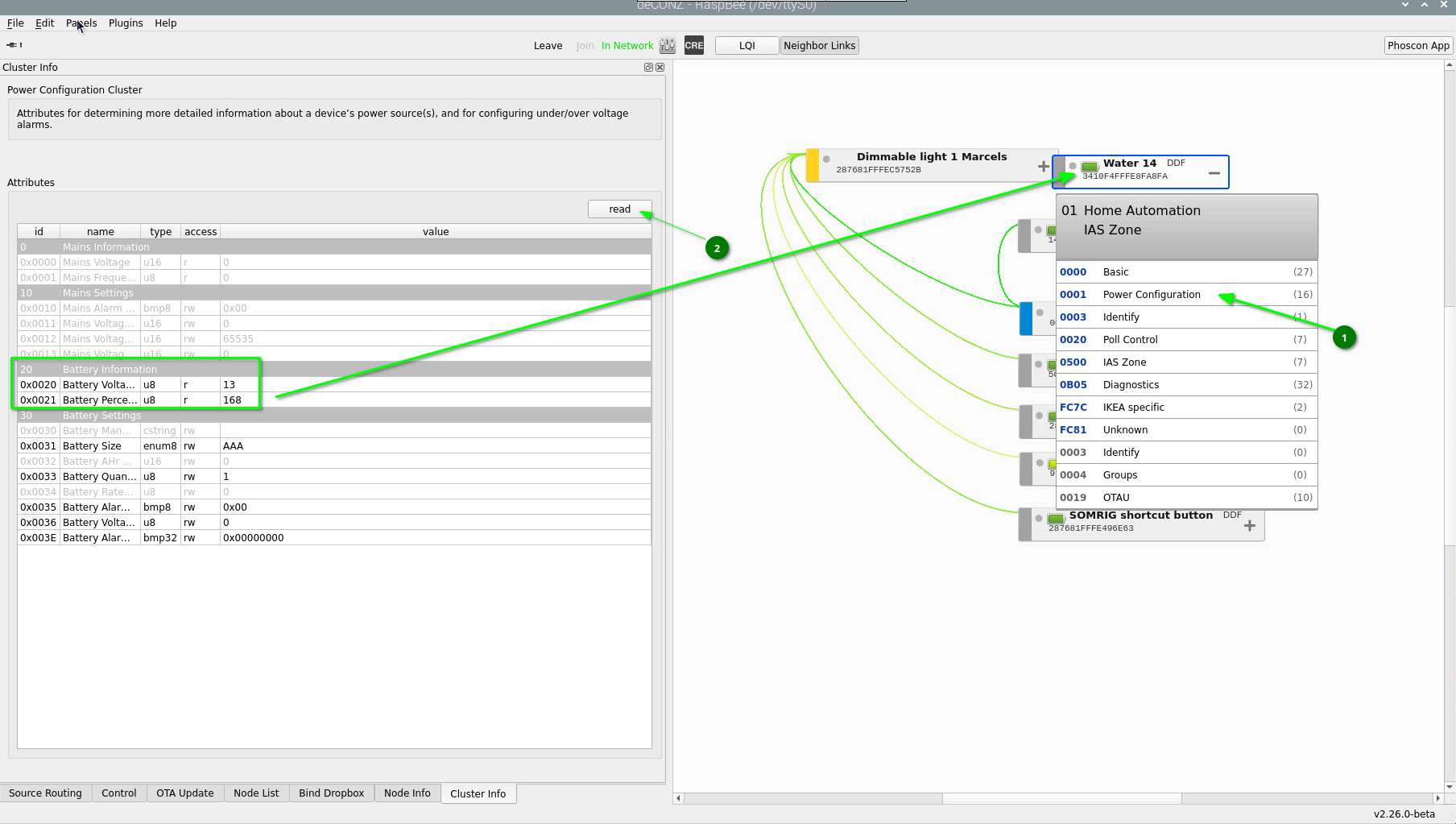
I then clicked on the + sign on the device to show the cluster information.
Then I right clicked and opened the Edit DDF:
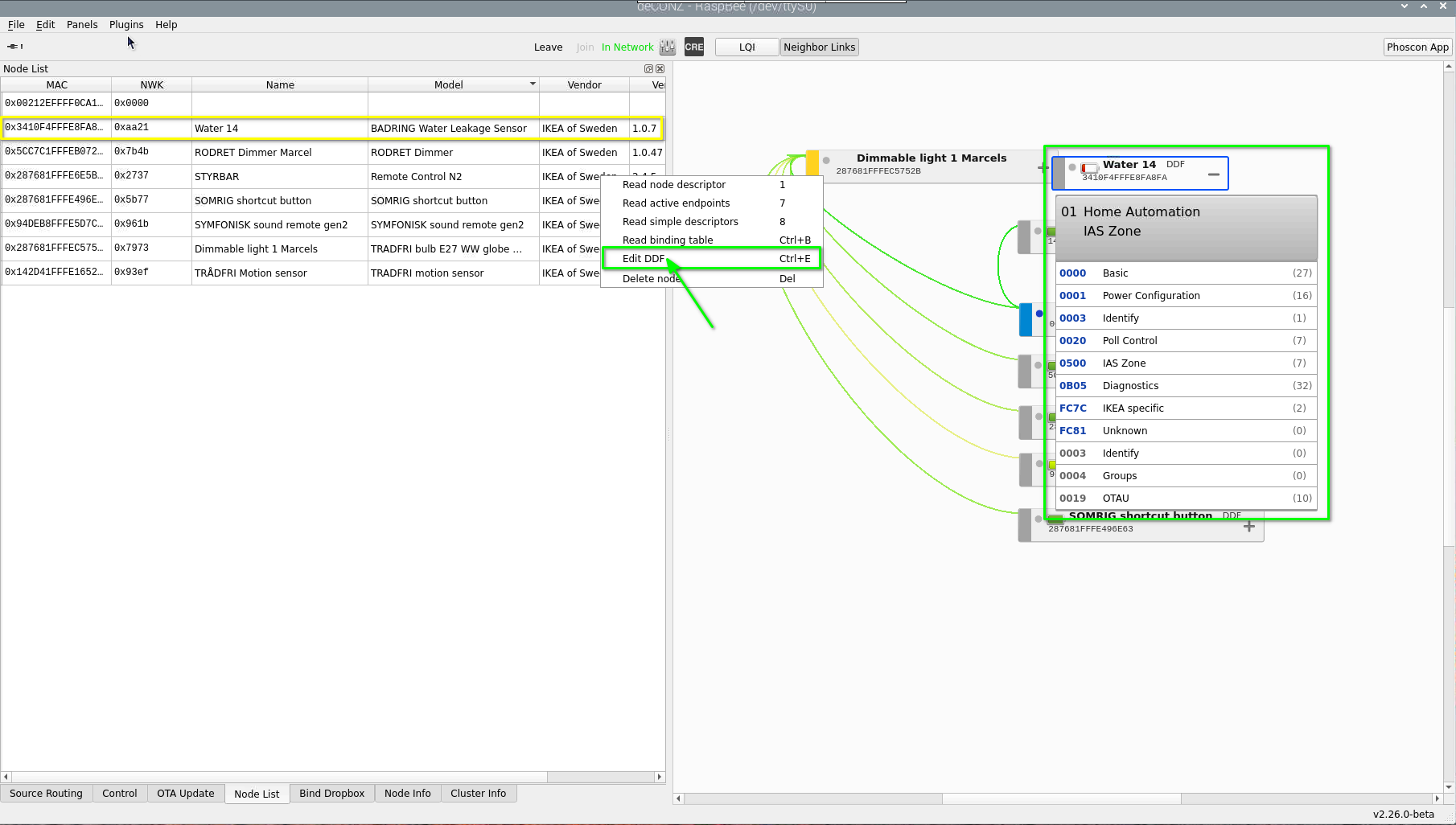
- Now also the correct DDF file appears in the deCONZ setup:
I did not adjust anything and went to the Preview folder:
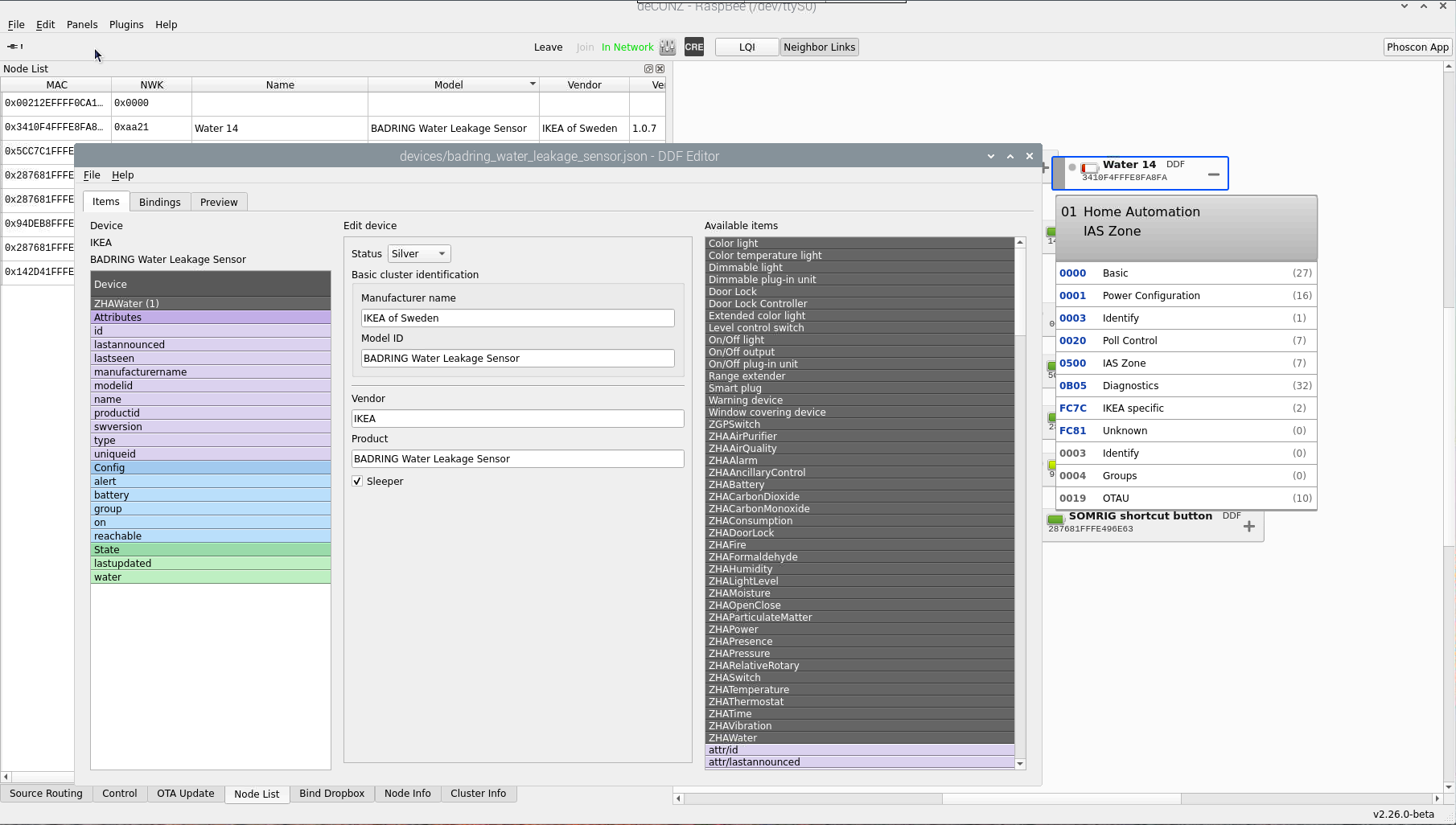
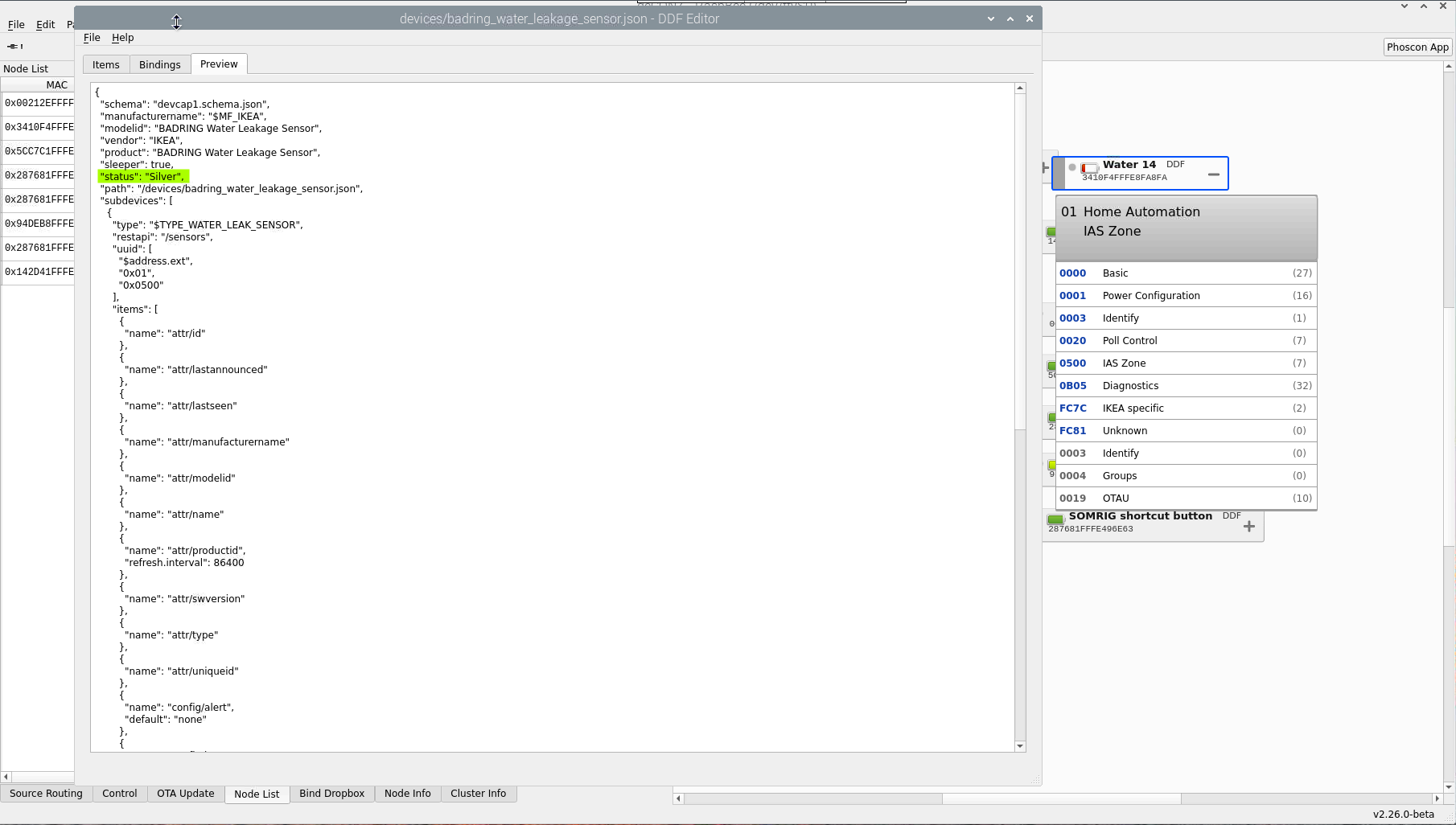
- Here you should now see the uploaded ddf json file content:
Note: I marked the status “Silver” in the json file, which means that you have to tick at least Silver under point 3, in order that the ddf file will be loaded in deCONZ.
- Now I went back to the Basic Cluster Information and we try to make them appear by first clicking on Basic and then press the read button under point 2. Important: As this kind of device is not always active, you can just wake it by simulating a leakage (I used a fork to shorten the 2 water detectors of the device). After max 1 minute the information should appear on the screen (marked by the green box):
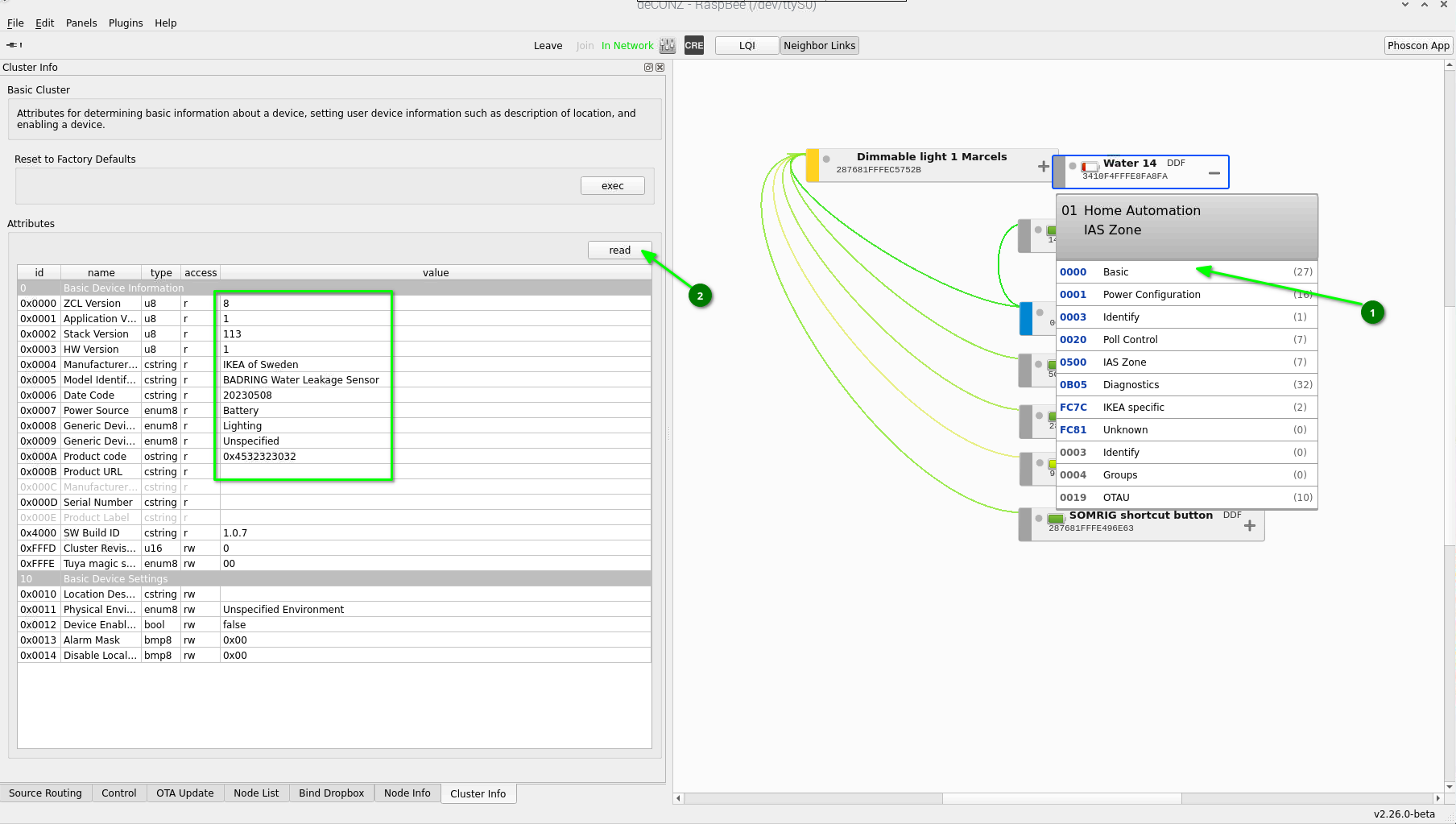
- Now we repeat the same with the Power Configuration. Then press the read button and make sure y your device is beeping ;O)
The information in the marked green box should be updated and it will also affect the battery state of the device in the right window (marked with an arrow on the screenshot):
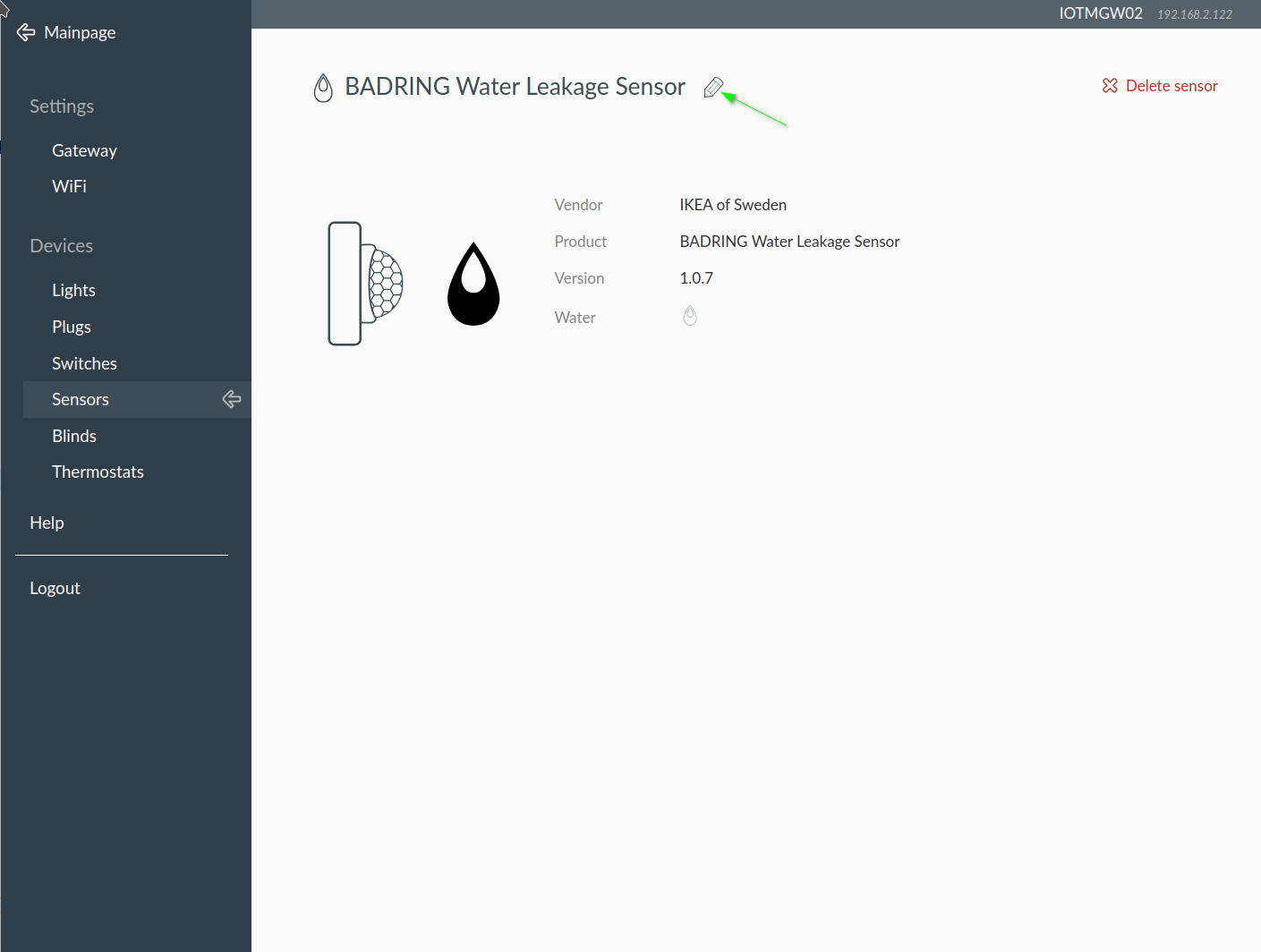
- I then went on the Phoscon App, where I was able to rename the device.
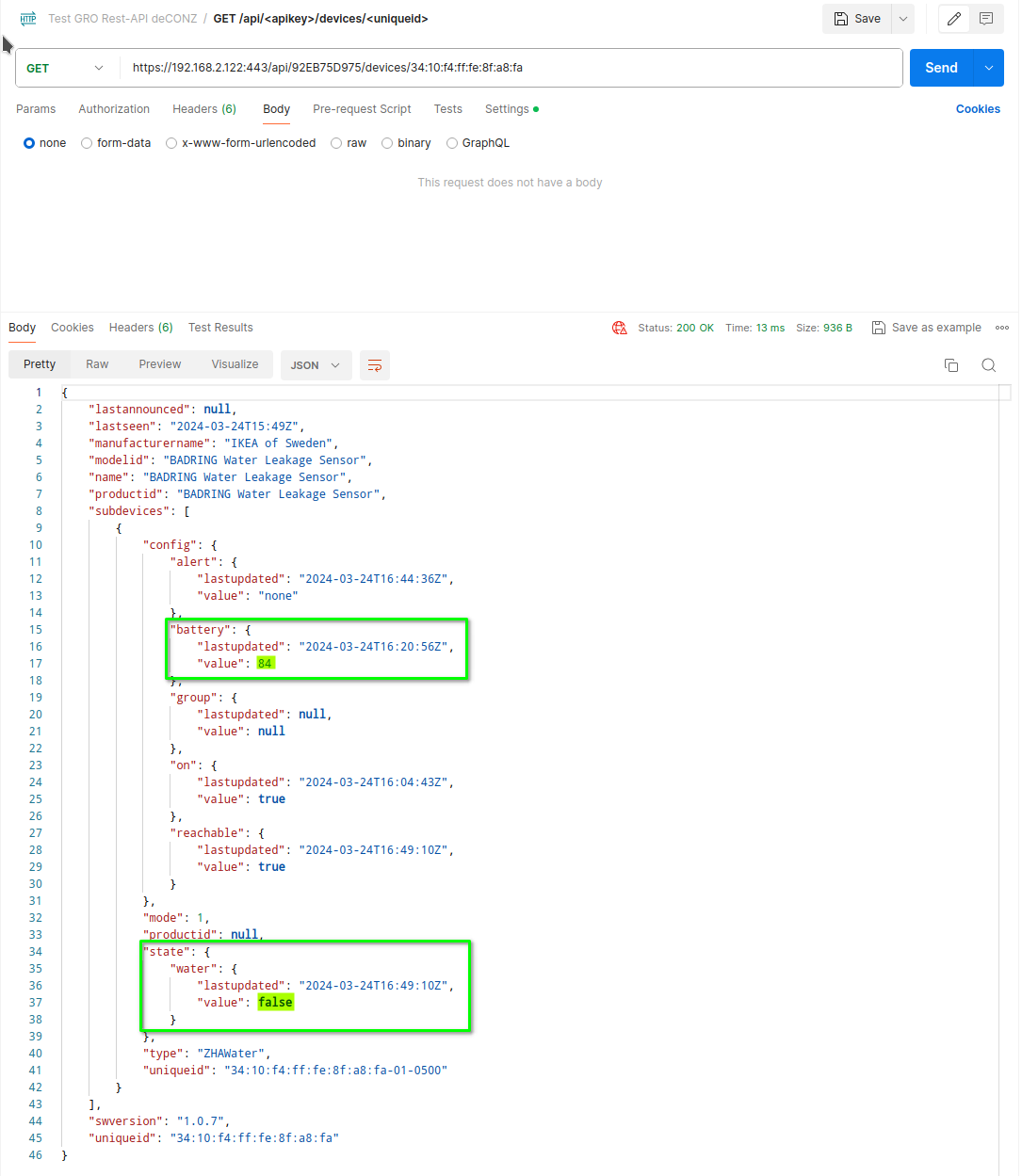
- At last, I checked the API (which I am most interested in) and I marked the interesting values in green:
the battery level is actually 84 % and water leakage is false:
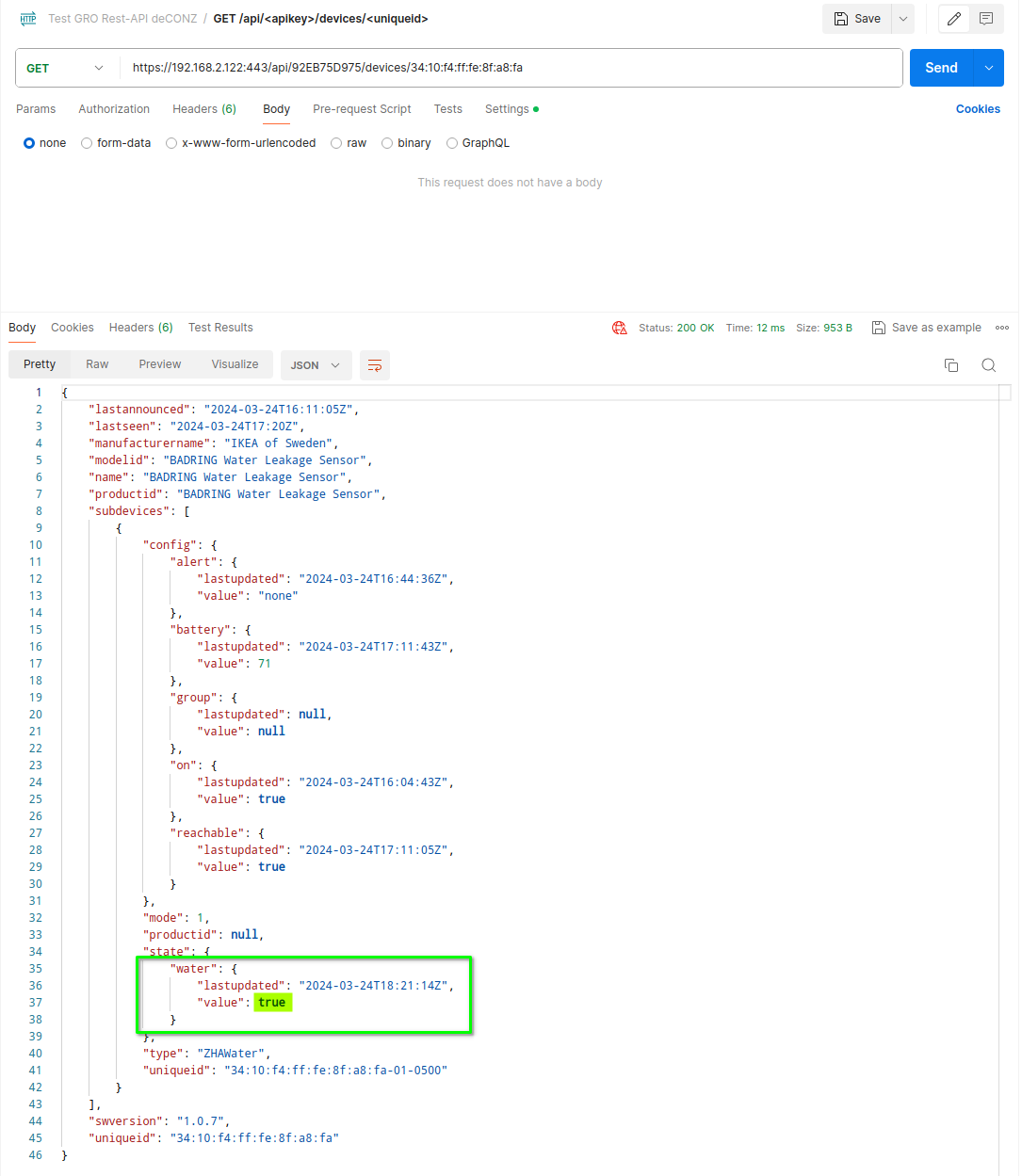
- now I shorten the 2 water detectors of the device again and it starts beebing, within the following 60 seconds, the state should change to true (in my case this jus worked fine):
Done
I hope this is some kind of better help than last time.
Unfortunately I am not able to assist on Home Assistant related subjects, I do not have such a setup, sorry.