Critical Regression in v2.31: Old Rules (e.g., Thermostat) not possible in new "Automations" UI + Old "Sensor Control" UI is broken

Hello Phoscon Team,

I’ve encountered a serious issue after updating my Conbee 2 setup to deCONZ/Phoscon version 2.31.2. This seems to be more than just a simple UI bug.

I am aware that the old “Sensor Controls” are being replaced by the new “Automations” system. However, I am now caught in a dilemma:

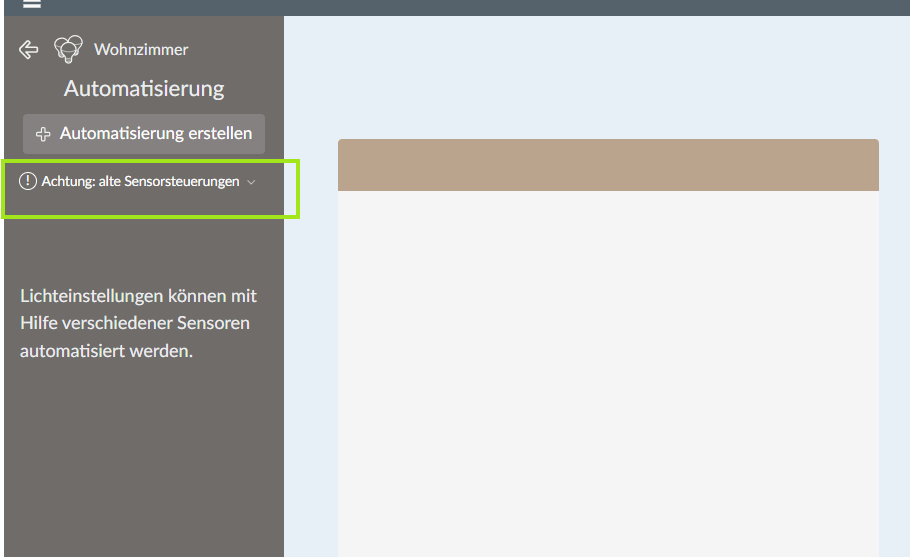
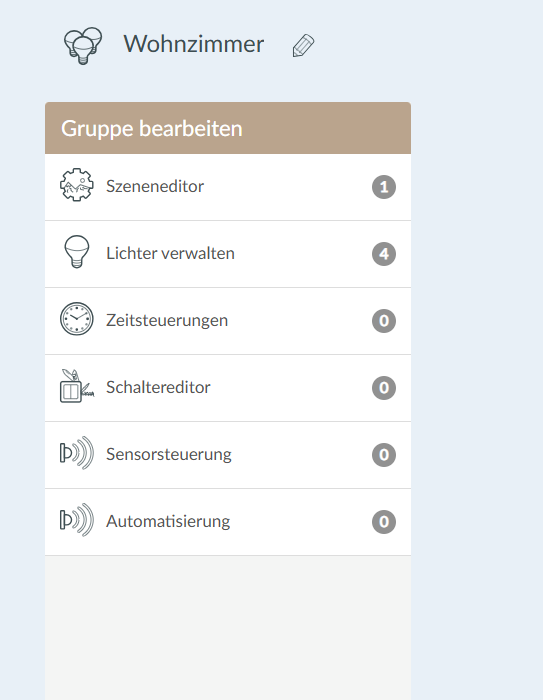
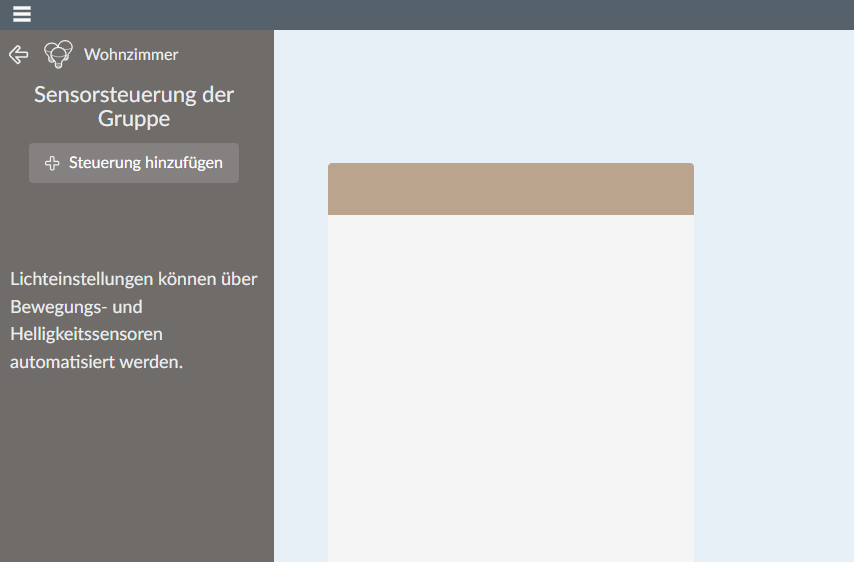
1. The UI Bug (The Blocker): I cannot delete my old “Sensor Controls”. The warning message appears “Achtung: alte Sensorsteuerungen”, but the page to manage or delete these old controls does not load. The content area remains blank (see Screenshot). This means I cannot clean up my old, conflicting rules.
2. The Functional Regression (The Core Problem): More importantly, even if I could delete them, I cannot recreate my most essential rules using the new “Automations” UI.

The new UI seems to be designed only for simple sensor-to-light automation. However, I rely on deCONZ for critical, gateway-level automations that must run independently of Home Assistant for reliability (e.g., after a power outage).

Example of my old rule (which I can still see via REST API):

  • Trigger: A window contact sensor is opened.
  • Action: Set a specific attribute on a linked thermostat (e.g., an Popp/Danfoss).

“24”: {
“actions”: [
{
“address”: “/sensors/81/config”,
“body”: {
“externalwindowopen”: true
},
“method”: “PUT”
}
],
“conditions”: [
{
“address”: “/sensors/29/state/open”,
“operator”: “eq”,
“value”: “true”
}
],
“created”: “2022-04-26T08:36:39”,
“etag”: “ef0a6e3d68b035f4ff305db8841bf22f”,
“lasttriggered”: “2025-10-19T11:13:02”,
“name”: “Fenster auf an Thermostat Büro”,
“owner”: “CF7A305B13”,
“periodic”: 0,
“status”: “enabled”,
“timestriggered”: 2
},

This type of device-to-device logic, which does not involve turning on a light, seems impossible to create in the new “Automations” interface (see Screenshot 1, which only shows “Dim 100%” and “Off” as actions).

My Situation: I am being forced to migrate to “Automations,” but the new system no longer supports my critical use cases. This breaks the primary reason I use deCONZ over other solutions like ZHA (which relies on Home Assistant being online). At the same time, the old, non-deletable rules are stuck and causing conflicts.

My Questions:

  1. How can I reliably delete the old “Sensor Controls” now that the UI for it is broken?
  2. How am I supposed to replicate my gateway-level logic (Window Contact → Thermostat Attribute) in this new post-v2.31 ecosystem?
  3. Do I now have to ignore the “Automations” UI entirely and manage all logic manually via the REST-API as “Rules”? Is this functional regression known?

I can provide the JSON exports of my old rules if needed. Thank you for your support.

One other example for a rule that I cannot recreate as an automation:

The light should be triggered only if the time is not between 1am and 6am. I cannot use the time of day virtual sensor because I have to have different times for different lights.

“10”: {
“actions”: [
{
“address”: “/sensors/149/state”,
“body”: {
“flag”: false
},
“method”: “PUT”
}
],
“conditions”: [
{
“address”: “/config/localtime”,
“operator”: “not in”,
“value”: “T01:00:00/T06:00:00”
}
],
“created”: “2022-11-08T12:01:02”,
“etag”: “a741c739cdfa94b1ac68813cc68ab8a4”,
“lasttriggered”: “2025-10-20T04:00:00”,
“name”: “Motion 38”,
“owner”: “1AE8AF82C6”,
“periodic”: 0,
“status”: “enabled”,
“timestriggered”: 3
},

I also have defined virtual sensors to enable/disable rules. Is that even possible with automations? Having the condition of a virtual switch (e.g. “holiday-mode”) to be turned on in an automation?
At the moment, I feel a little bit lost. I totally prefer my current gateway-level-automations over any kind of dependency of Home Assistant. Am I the only one having these issues?

@de_employees

  1. The UI bug:
    I see there is a bug on the automation page that says it found some old sensor control rules but you sensor control page does not list any rules. This could be because there are some left over rules or resourcelinks that cause this message. I can say the message is not as bad as it sounds, It is just there to inform the user that he should not wonder why his lights go on or off even when the ruling from his created new automation does not apply. Just because he still has an old sensor control which affects the same lights.

You could check if there are any Rest API left over rules from the old sensor control with a Rest API client when you check out the /resourcelinks endpoint and look for links with the "classid": 2020 Those belong to old sensor control.

It is also not so bad when you want to use the old sensor control even longer, if you just keep in mind that they could intefere with an automation that controls the same lights.

  1. The Functional Regression:
    What you wrote sounds to me as if you were able to create those rules with the old sensor control page. But thats not true. At the old sensor control page you can only create simple light on/off automations with motion sensors. At the new automations page you can create automations that can also use different kinds of sensor e.g. temperature, humidity, openclose, etc…

But with neither page, sensor control or automations, you could create rules with your own custom virtual sensors. This is also not planned in the future and must be done via custom Rest API rules and a RestAPI client software.

Hello ChrisHae,

Thank you very much for your very insightful and clear answer! This has resolved the confusion on my end and addressed my biggest concern.

You hit the nail on the head: I mixed up the functionalities of the different editors. The complex rules (e.g., window contact to thermostat attribute) were, as you suspected, always defined manually via the REST-API as Rules—and not through the old Sensor Controls UI.

The crucial information for me is that these critical, gateway-level Rules (which ensure independence from Home Assistant) will continue to be supported via the REST-API and their viability is secure, even if they are not represented in the new UI. That is a great relief.

Regarding the UI bug: The information that I can safely ignore the warning message about “old sensor controls” in the Automations interface is absolutely sufficient. I see below the /resourcelinks endpoint you mentioned.

Thank you very much for taking the time for this important clarification!

Best regards

{
“1”: {
“classid”: 20204,
“description”: “Segment /sensors/169 to /sensors/171”,
“links”: [
“/sensors/169”,
“/sensors/171”
],
“name”: “-3ee459a5”,
“owner”: “D36BCB081B”,
“recycle”: false,
“type”: “Link”
},
“2”: {
“classid”: 20203,
“description”: “Segment /sensors/168 to /sensors/169”,
“links”: [
“/sensors/168”,
“/sensors/169”
],
“name”: “4b52fbc1”,
“owner”: “D36BCB081B”,
“recycle”: false,
“type”: “Link”
},
“3”: {
“classid”: 20202,
“description”: “Segment /sensors/170 to /sensors/168”,
“links”: [
“/sensors/170”,
“/sensors/168”
],
“name”: “-2c4a4e1c”,
“owner”: “D36BCB081B”,
“recycle”: false,
“type”: “Link”
},
“4”: {
“classid”: 20201,
“description”: “Segment /sensors/171 to /sensors/170”,
“links”: [
“/sensors/171”,
“/sensors/170”
],
“name”: “58cb470e”,
“owner”: “D36BCB081B”,
“recycle”: false,
“type”: “Link”
},
“5”: {
“classid”: 3030,
“description”: “”,
“links”: [
“/userparameter/4”,
“/groups/6”,
“/resourcelinks/11”,
“/resourcelinks/7”,
“/sensors/173”,
“/sensors/172”,
“/rules/41”,
“/rules/50”,
“/rules/42”,
“/rules/68”,
“/rules/48”,
“/rules/40”,
“/rules/47”,
“/rules/49”,
“/rules/54”,
“/rules/5”,
“/rules/67”
],
“name”: “PIR-Bürolicht-Automatik”,
“owner”: “D36BCB081B”,
“recycle”: false,
“type”: “Link”
},
“6”: {
“classid”: 4040,
“description”: “”,
“links”: [
“/resourcelinks/5”,
“/userparameter/4”,
“/groups/6”,
“/resourcelinks/4”,
“/resourcelinks/2”,
“/resourcelinks/1”,
“/sensors/179”,
“/rules/6”,
“/rules/7”,
“/rules/8”,
“/rules/12”,
“/rules/13”
],
“name”: “Bürolicht-Automatik”,
“owner”: “D36BCB081B”,
“recycle”: false,
“type”: “Link”
},
“7”: {
“classid”: 30302,
“description”: “Links_CLIPGenericFlag_CLIPLightLevel_of_Bürolicht-Automatik”,
“links”: [
“/sensors/178”,
“/sensors/42”,
“/rules/1”,
“/rules/2”,
“/rules/3”,
“/rules/4”
],
“name”: “CLIPLightLevel_of_Bürolicht-Automatik”,
“owner”: “1D6266763C”,
“recycle”: false,
“type”: “Link”
},
“10”: {
“classid”: 2020,
“description”: “”,
“links”: [
“/userparameter/7”,
“/groups/240”,
“/sensors/56”,
“/sensors/50”,
“/sensors/79”,
“/sensors/80”,
“/rules/98”,
“/rules/99”,
“/rules/71”,
“/rules/100”,
“/rules/70”,
“/rules/101”,
“/rules/104”,
“/rules/103”,
“/rules/105”,
“/rules/106”,
“/rules/102”,
“/rules/107”
],
“name”: “Bewegung Keller”,
“owner”: “1041A6E226”,
“recycle”: false,
“type”: “Link”
},
“11”: {
“classid”: 30303,
“description”: “Links_CLIPGenericFlag_CLIPPresence_of_Bürolicht-Automatik”,
“links”: [
“/sensors/177”,
“/sensors/40”,
“/rules/65”,
“/rules/66”
],
“name”: “CLIPPresence_of_Bürolicht-Automatik”,
“owner”: “C9D115A28B”,
“recycle”: false,
“type”: “Link”
},
“14”: {
“classid”: 3030,
“description”: “”,
“links”: [
“/userparameter/9”,
“/groups/19”,
“/resourcelinks/16”,
“/resourcelinks/17”,
“/sensors/198”,
“/sensors/199”,
“/rules/63”,
“/rules/80”,
“/rules/70”,
“/rules/87”,
“/rules/72”,
“/rules/69”,
“/rules/74”,
“/rules/73”,
“/rules/77”,
“/rules/64”,
“/rules/71”
],
“name”: “PIR-Schlafzimmer-Bewegung”,
“owner”: “6E7316A11A”,
“recycle”: false,
“type”: “Link”
},
“15”: {
“classid”: 4040,
“description”: “”,
“links”: [
“/resourcelinks/14”,
“/userparameter/9”,
“/groups/19”,
“/resourcelinks/4”,
“/resourcelinks/3”,
“/resourcelinks/2”,
“/sensors/202”,
“/rules/88”,
“/rules/89”,
“/rules/90”,
“/rules/91”,
“/rules/92”
],
“name”: “Schlafzimmer-Bewegung”,
“owner”: “6E7316A11A”,
“recycle”: false,
“type”: “Link”
},
“18”: {
“classid”: 3030,
“description”: “”,
“links”: [
“/userparameter/10”,
“/groups/3”,
“/resourcelinks/20”,
“/resourcelinks/21”,
“/sensors/203”,
“/sensors/204”,
“/rules/93”,
“/rules/96”,
“/rules/94”,
“/rules/95”,
“/rules/97”,
“/rules/98”,
“/rules/103”,
“/rules/99”,
“/rules/100”,
“/rules/115”,
“/rules/118”
],
“name”: “PIR-Schleuse”,
“owner”: “6E7316A11A”,
“recycle”: false,
“type”: “Link”
},
“19”: {
“classid”: 4040,
“description”: “”,
“links”: [
“/resourcelinks/18”,
“/resourcelinks/1”,
“/resourcelinks/2”,
“/resourcelinks/3”,
“/resourcelinks/4”,
“/userparameter/10”,
“/groups/3”
],
“name”: “Schleuse”,
“owner”: “6E7316A11A”,
“recycle”: false,
“type”: “Link”
},
“20”: {
“classid”: 30303,
“description”: “Links_CLIPGenericFlag_CLIPPresence_of_Schleuse”,
“links”: [
“/sensors/205”,
“/sensors/84”,
“/rules/101”,
“/rules/102”
],
“name”: “CLIPPresence_of_Schleuse”,
“owner”: “6E7316A11A”,
“recycle”: false,
“type”: “Link”
},
“21”: {
“classid”: 30307,
“description”: “Links_CLIPGenericFlag_CLIPOpenClose_of_Schleuse”,
“links”: [
“/sensors/206”,
“/sensors/101”,
“/rules/116”,
“/rules/117”
],
“name”: “CLIPOpenClose_of_Schleuse”,
“owner”: “6E7316A11A”,
“recycle”: false,
“type”: “Link”
}
}

Great I could clarify a few things.

Some more information about the classids in the /resourcelinks:

these resourcelinks are created by the Phoscon App for the complex automations and sensor control rulings:

“20201” to “20204”: these resourcelinks are created by Phoscon for the time management at the automations page. They are also used at the “Tageszeiten”/“Daily Schedule” page of the app. They exist to control the time segments of the automations.

“2020” are created old sensor controls

“3030” and “4040” belong to the same automation and are from the new automations page

“30302”, “30303”, etc. bekong also to new created automations and describe from the app created virtual sensors and sub rules for that automation.

1 Like